The product
COSMOS — built for NDIS providers, ready to adapt to your industry
The Client Operations, Staff Management & Onboarding System: one system for the front of an organisation's work — enquiries in, clients looked after, staff compliant, and onboarding nobody has to chase. Built for NDIS providers first, and tailored to your industry by Eleos.
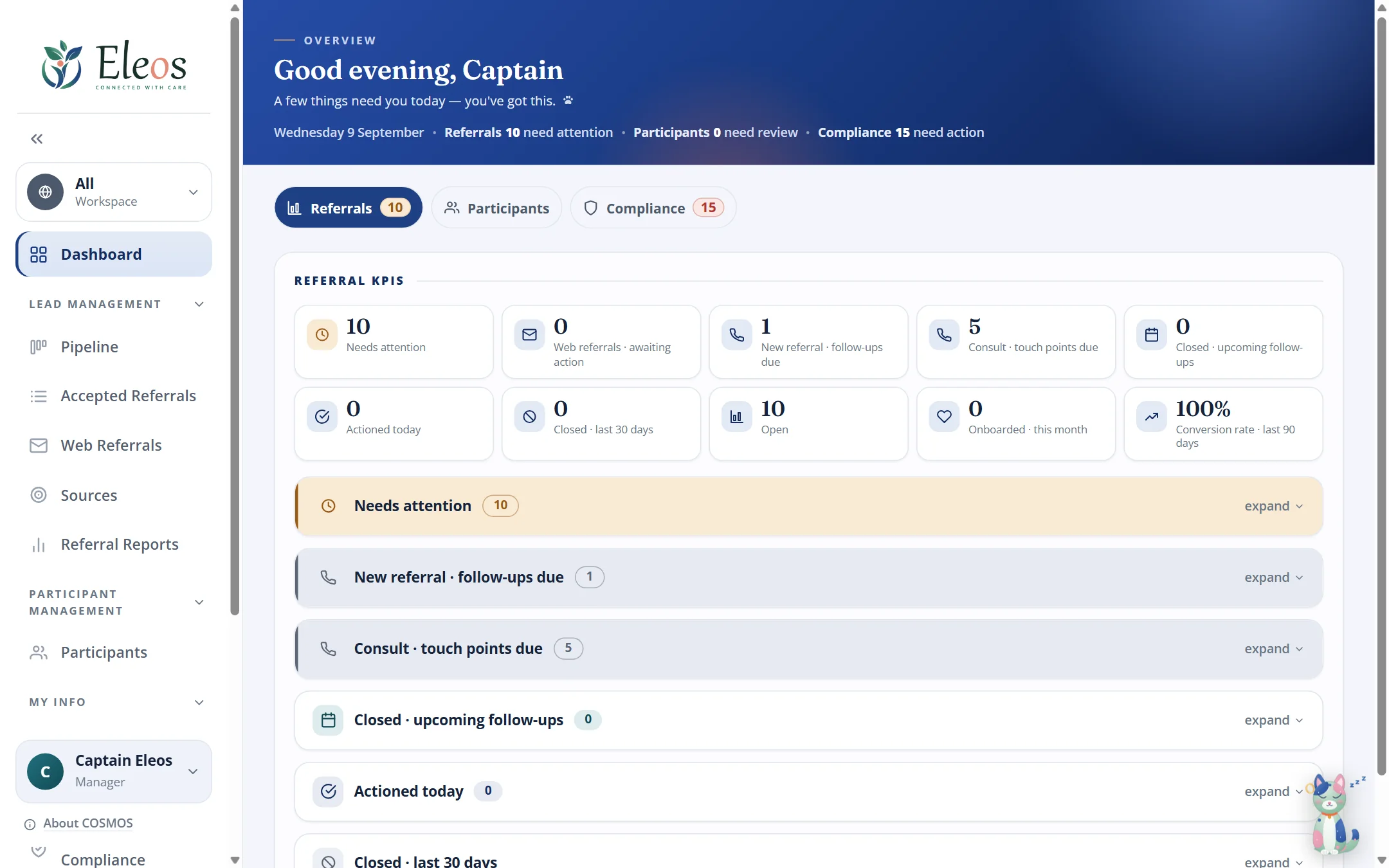
Three modules
Each one ships on its own. Together, they work as one.
Lead Management, Client Management and Employee Onboarding & HR are switched on per instance. Begin with the one that hurts most; add the others later and they arrive in the same system, already connected.
Lead Management
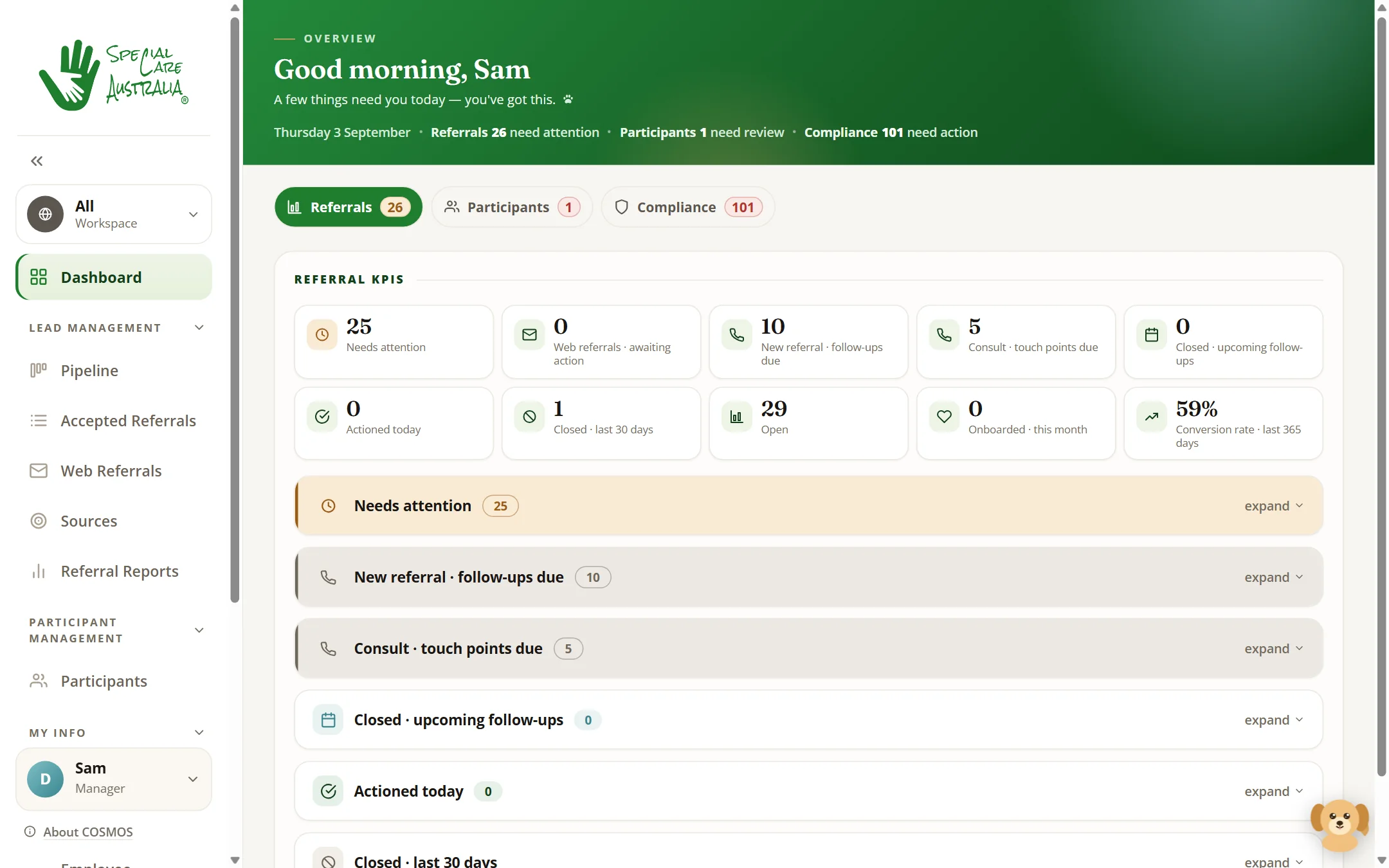
Ships on its ownEvery enquiry is logged the moment it arrives, with its source, and moves across the stages your work runs through — for an NDIS provider that's New, Consult, Intake form, Agreement and Onboarded — with Not proceeding as a recorded exit. The dashboard shows what needs attention today; leads that sit still past a threshold you set are flagged as stalled.
- Pipeline board, web enquiries, sources and reports
- Assign to a team member, add notes, log follow-ups
- Stalled threshold and staff visibility are settings you control
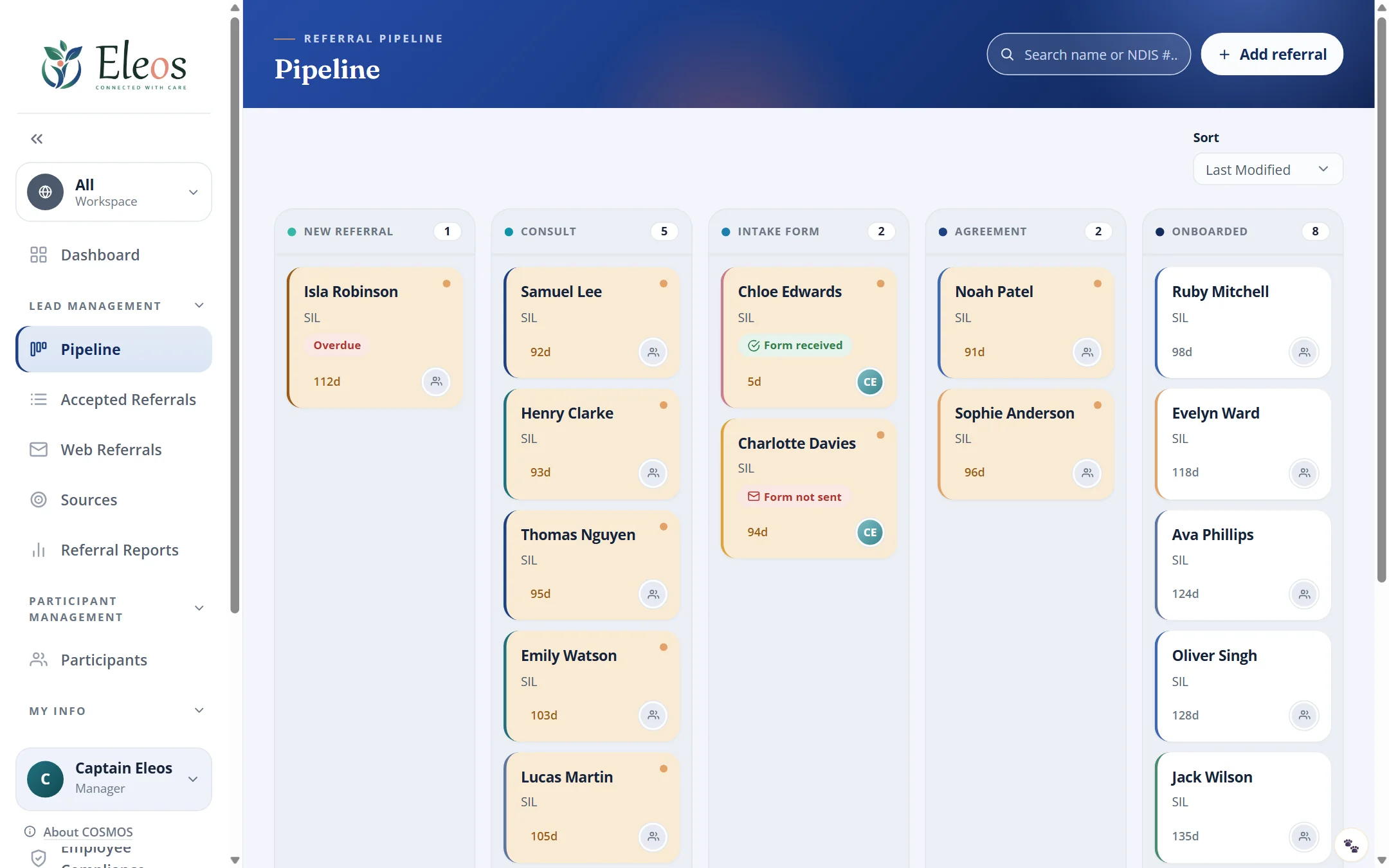
Client Management
Ships on its ownClient management that picks up where the lead ends: when a lead is won it becomes a client — the active list in one searchable register, with the details, key dates and case notes your field needs in one place. Clients or their families complete intake themselves through a self-service form that validates as they go, and it lands straight in the record.
- One record per client — searchable across the register, exportable
- Review and renewal dates tracked, overdue ones flagged
- Self-service intake with no account needed
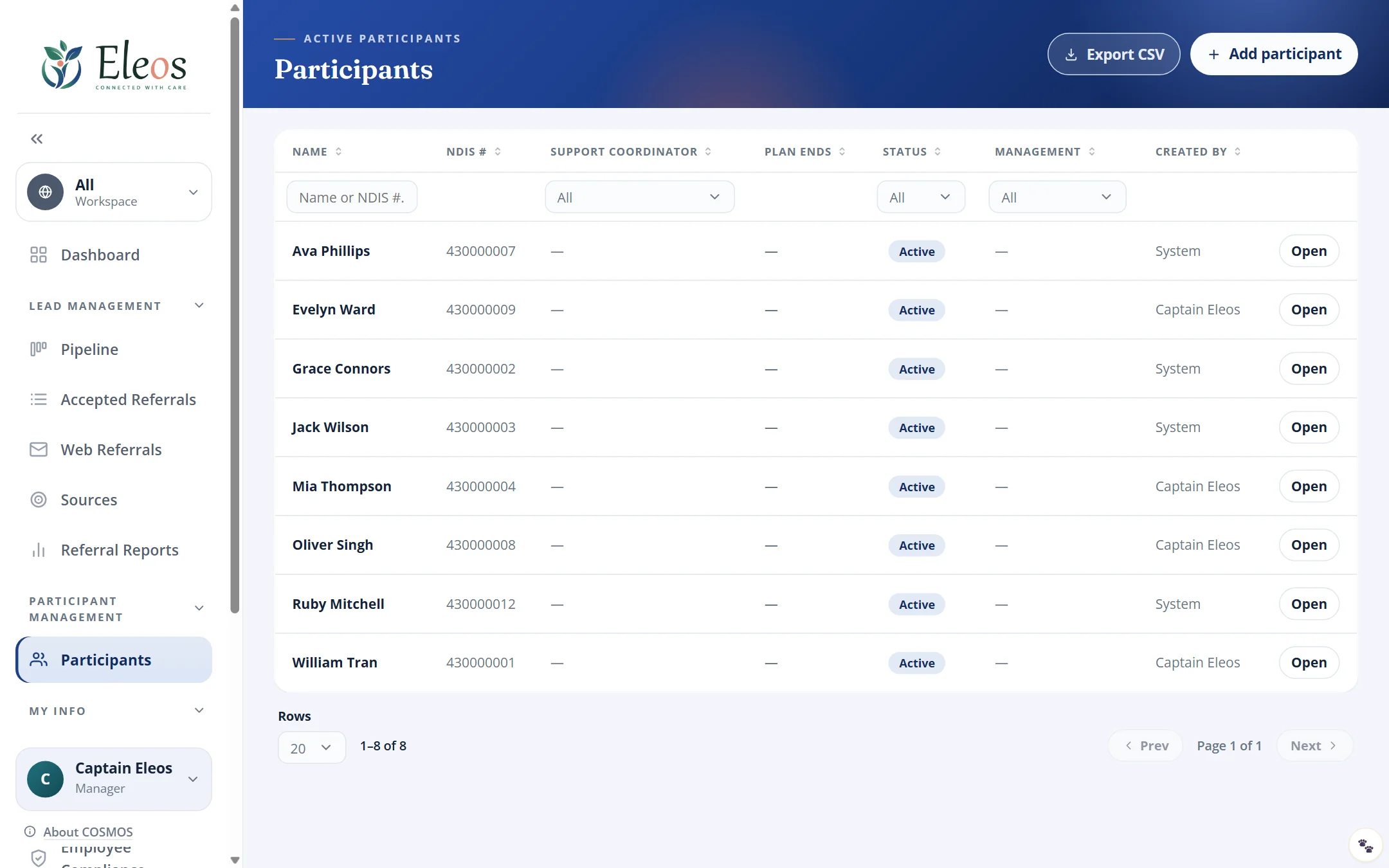
Employee Onboarding & HR
Ships on its ownStaff compliance tracking, per person: background checks, licences, first aid and whatever else your field requires, with expiry dates surfaced before they lapse. You define the check types yourself. Staff upload their own evidence against the record and see their standing in a "My Info" view; managers see at a glance who is current and what is still missing.
- Check types you add, change and retire yourself
- Evidence documents uploaded and reviewed in the record
- A clear answer to "is everyone current?"
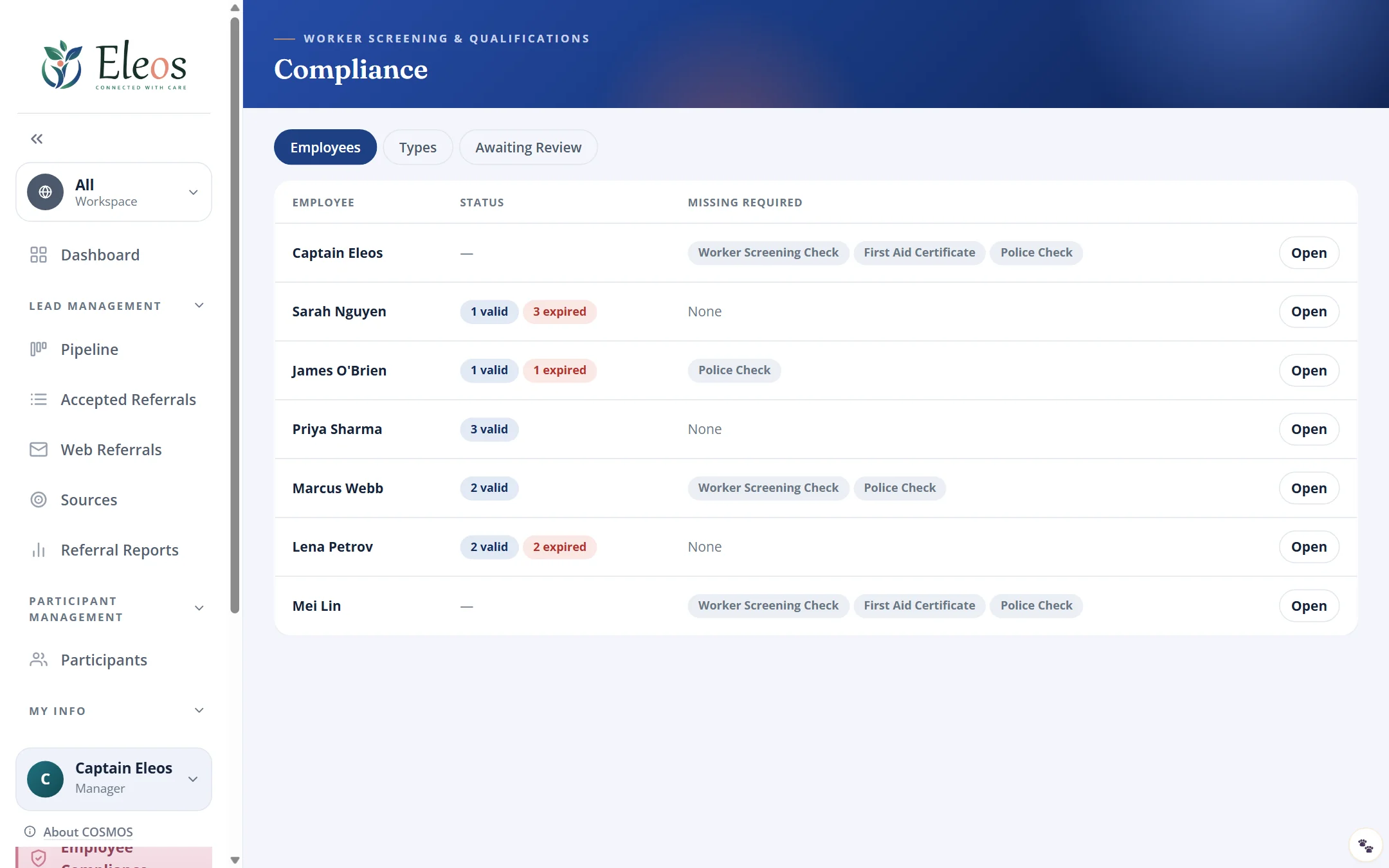
Tailored to your field
Shaped for you at setup, run by you after
COSMOS is built for NDIS providers and live at Special Care Australia, and it isn't locked to that field. Before you go live we shape your instance around how your work runs; once it's live, the day-to-day settings are yours.
We tailor at setup
- Pipeline stages and the rules between them
- Record fields and intake forms
- The words for your clients, staff and stages
- Your name, logo and colours
- Which modules are switched on, and the region you're hosted in
You control in settings
- Compliance check types — add, change, retire
- Lead sources, users and roles
- Who sees what, including sensitive details
- Stalled thresholds, follow-up windows and expiry warnings
Responsive
The same screens on a phone, in the car park
COSMOS is a web app that fits the screen it's on. Staff check the pipeline between appointments; workers see their own checks on their phone. Nothing to install.
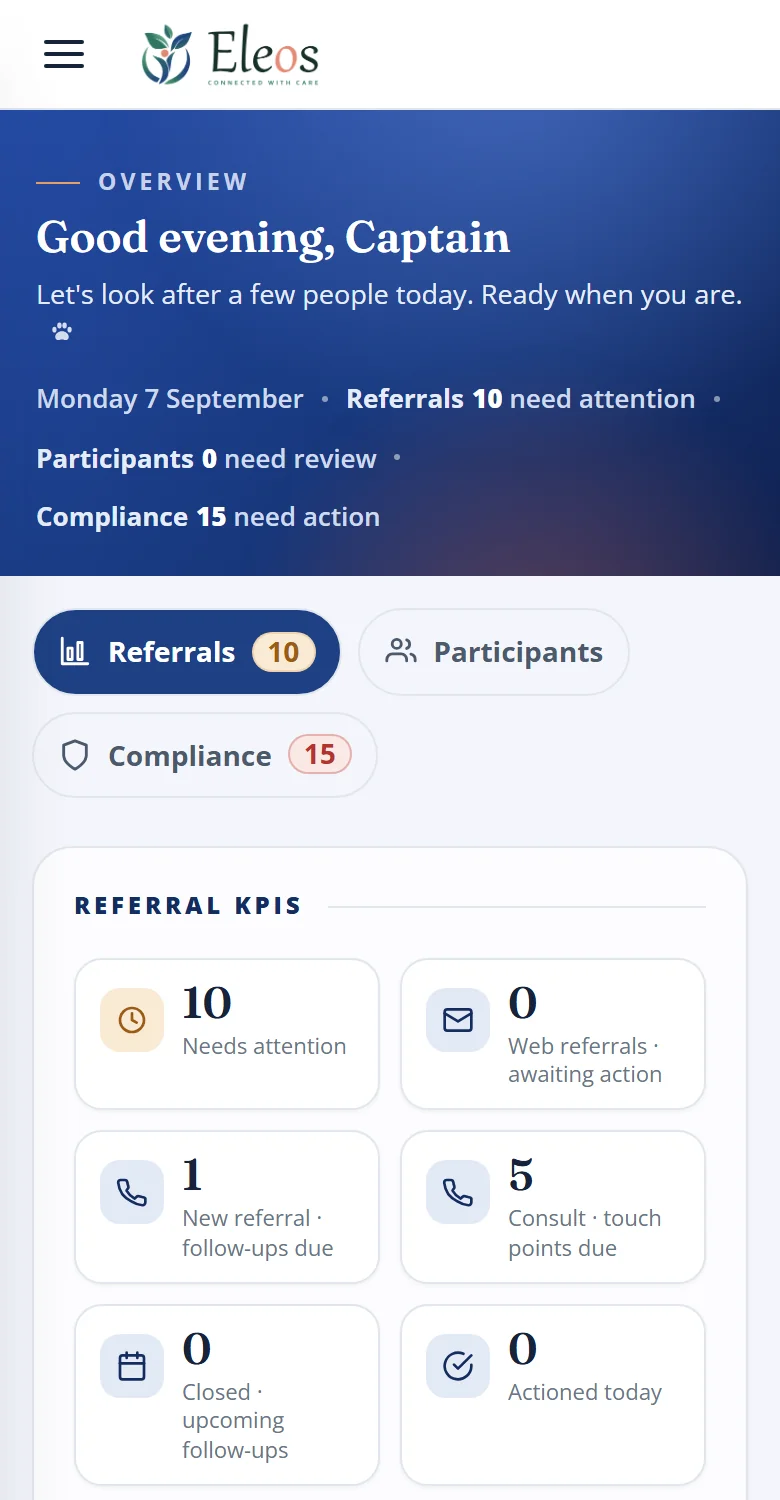
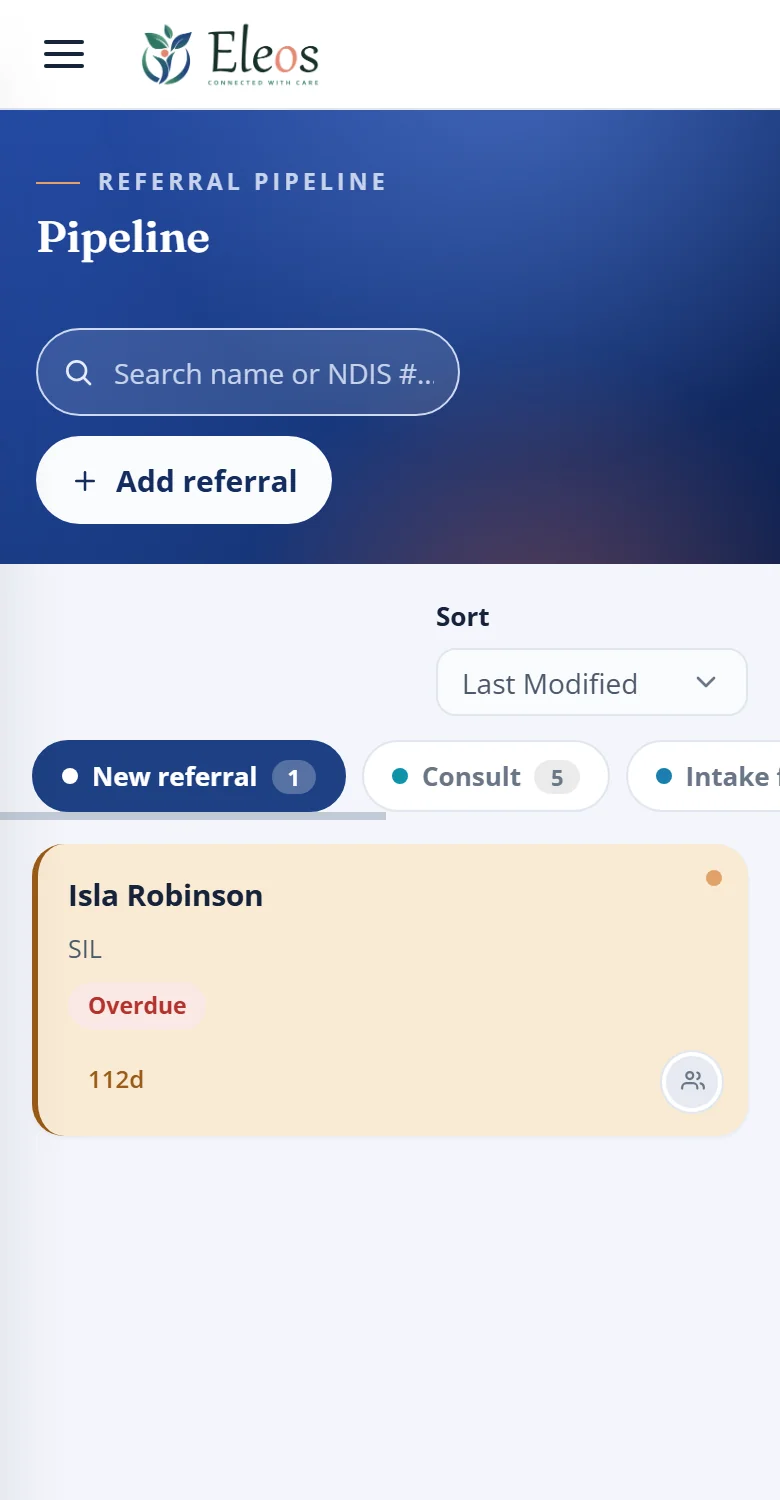
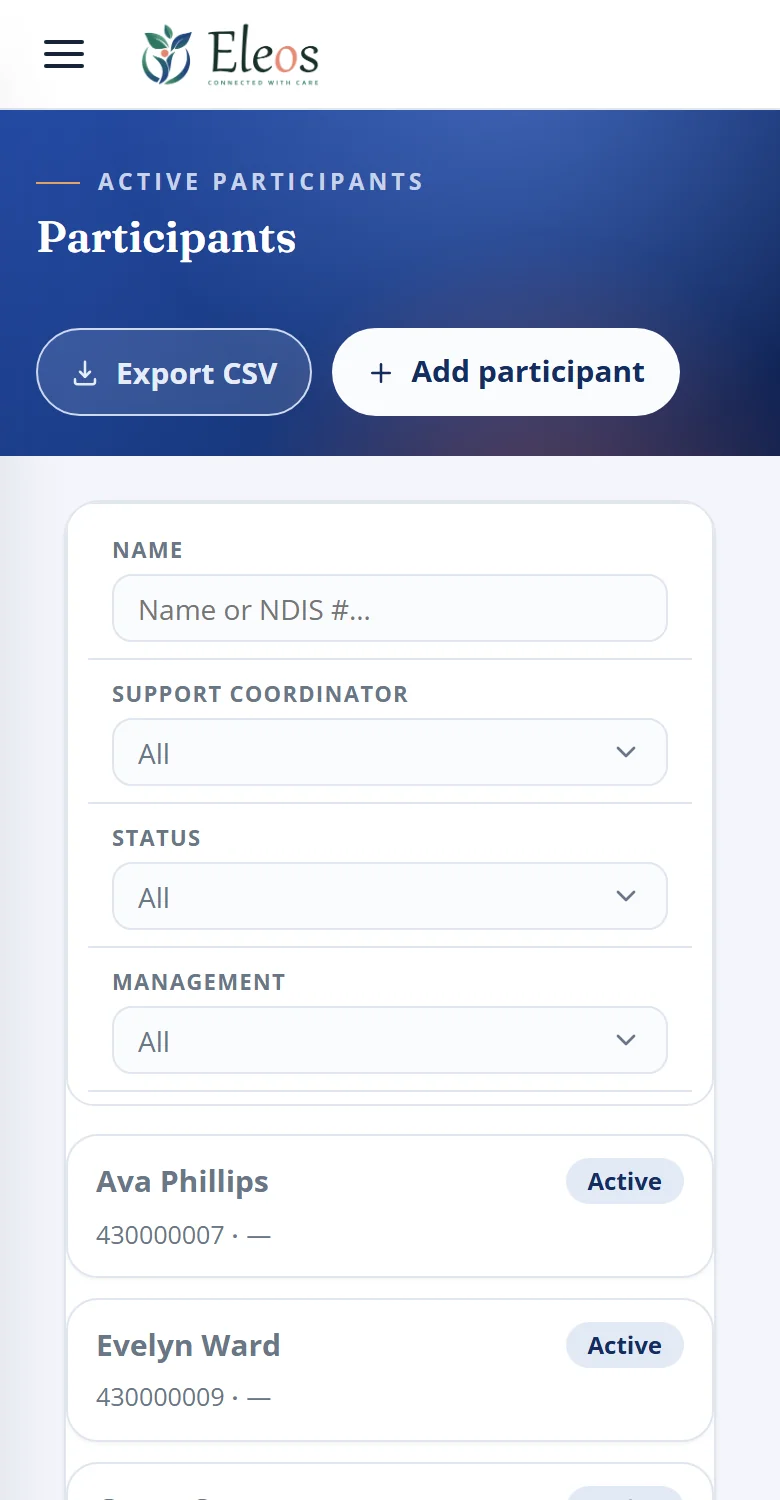
Dashboard, pipeline and client register on a 390px screen, set up for an NDIS provider. Demo data.
White label
Your brand, your instance
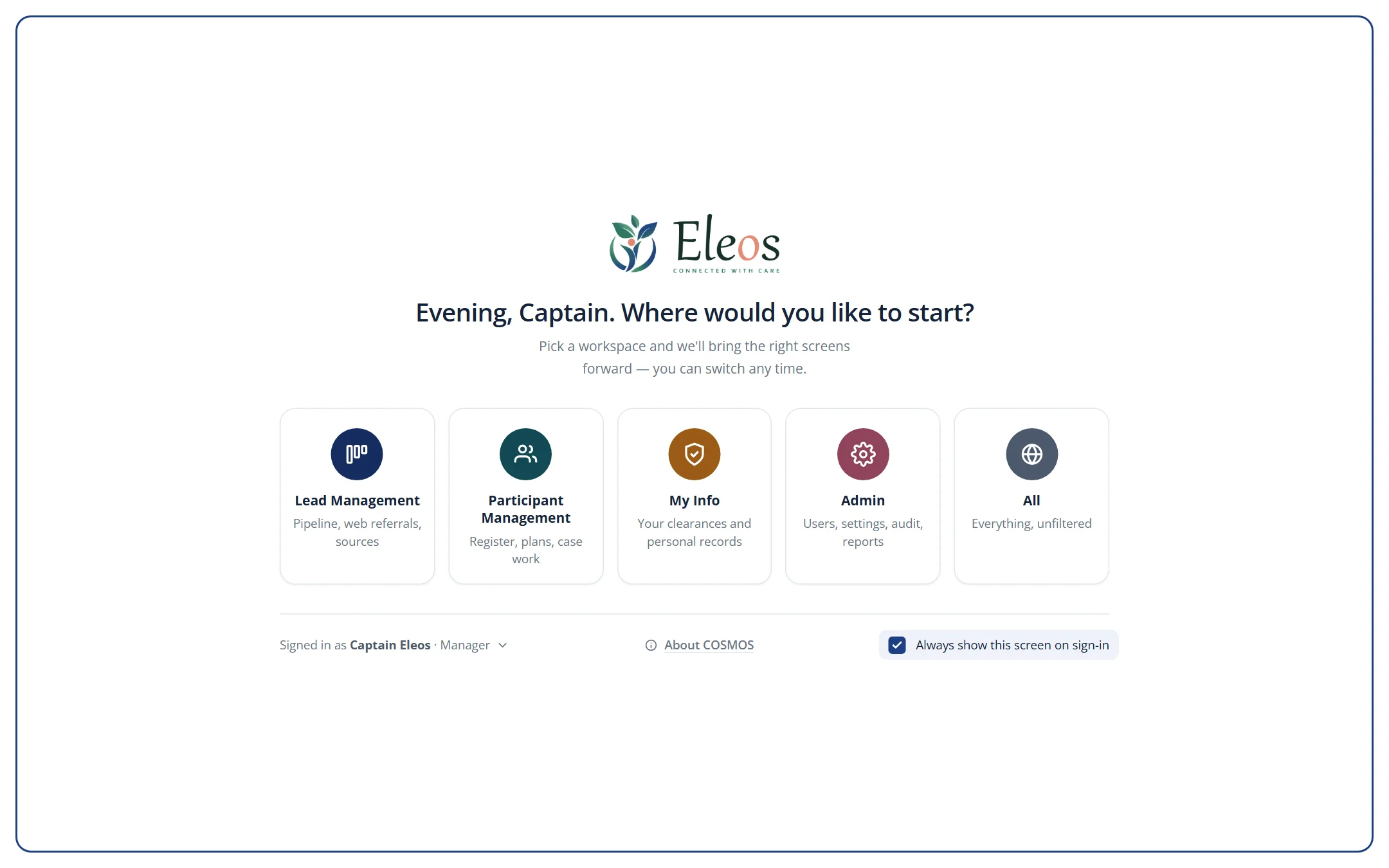
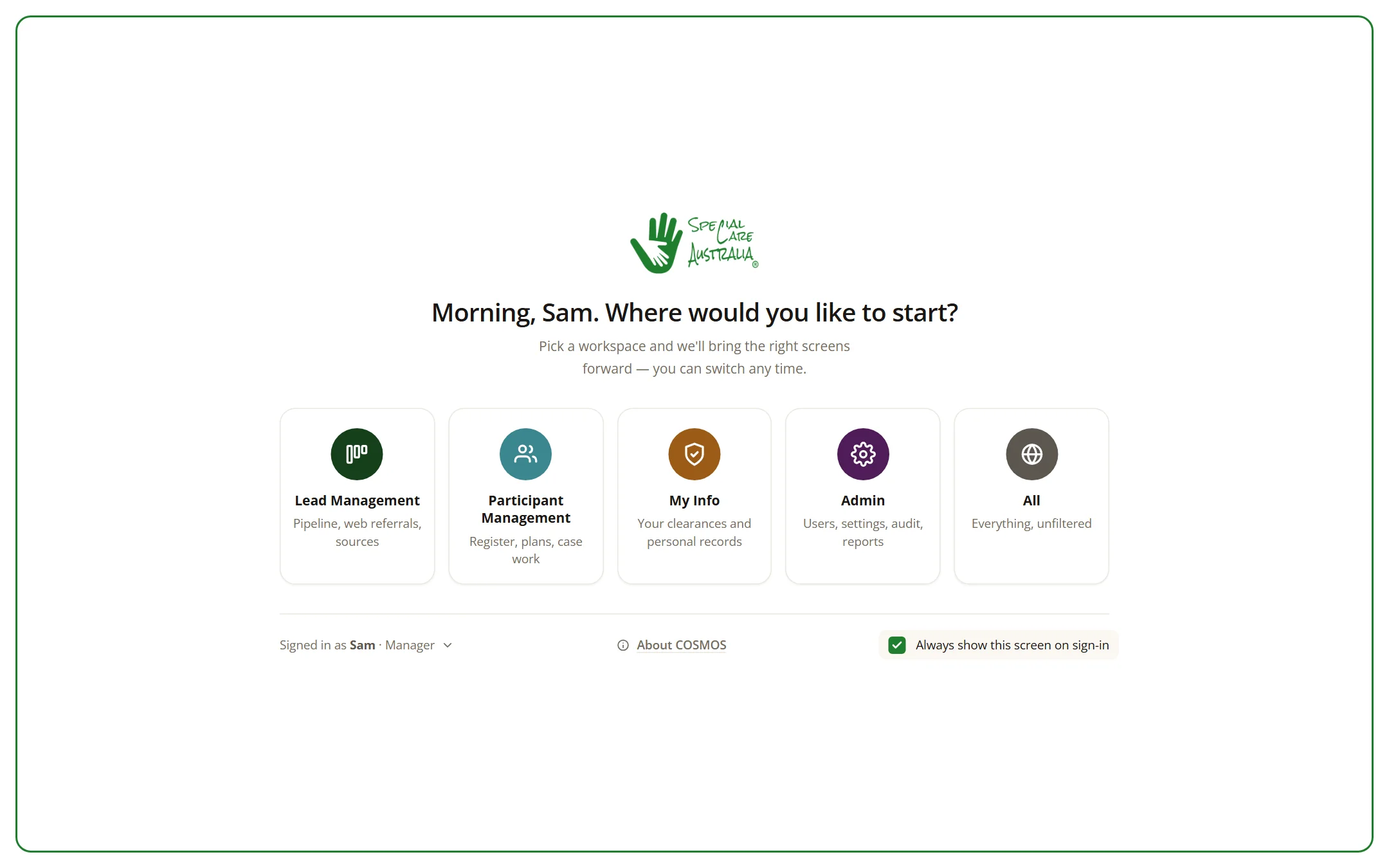
Every client runs their own COSMOS with their own logo and colours. Special Care Australia's looks like Special Care; the demo looks like Eleos. Same product underneath — and each client's data lives only in their instance.
Roles, access and hosting
Built to be trusted with sensitive records
Two roles, one rule
Managers see and do everything. Staff work the leads and clients assigned to them; whether they can view everyone else's is a setting you control. Reassignment is manager-only.
Every change on the record
Actions are written to an audit log — who did what, when, and whether it succeeded — that managers can search.
Hosted where you need it
Each client runs its own instance, in the region they need. Our first client's runs in Microsoft Azure's Australia East region, served over HTTPS.
- Signed, expiring sessions
- Enforced password policy
- Password reset that never reveals whether an email exists
- Your brand, your instance — name, logo and colours applied per client
Meet Paari
Your in-app guide
Tap Paari in the corner of any page and she walks your team through it — useful in the first week, and for the new starter six months in.
Questions
Things people ask us
Is COSMOS only for NDIS providers?
No. COSMOS is built for NDIS providers first and is live at Special Care Australia, and its modules fit any organisation that turns enquiries into clients and keeps staff checks current — aged care, allied health, recruitment, education, trades and more. We tailor it to your field when we set up your instance.
Can we change the stages and fields?
Yes. We set up your pipeline stages, record fields, intake form and wording with you before you go live. After that, your managers add compliance check types and lead sources, manage users, and control visibility and alert timings themselves.
Is COSMOS a CRM?
In part. Lead Management does what a CRM does: every enquiry with its source, assignees, notes, follow-ups and a pipeline to a new client. COSMOS then carries on where a CRM stops, with the client register, intake and staff compliance in the same system.
Where is our data hosted?
In your own instance, in the region you need. Our first client's instance runs in Microsoft Azure's Australia East region.
Can we keep our own branding?
Yes. COSMOS is white-label — your name, logo and colours are applied to your instance.
Can we start with just one module?
Yes. Lead Management, Client Management and Employee Onboarding & HR are switched on per instance, so you can begin with the one that hurts most and add the others later — in the same system, with nothing to migrate.
Who can see what?
Staff and Manager roles. Managers see and do everything; staff work the leads and clients assigned to them, and whether they can view everyone else's is a setting you control. Every change is written to an audit log.
How do we get started?
Book a demo. We walk you through COSMOS, map how your work runs, then set up your instance.
See it with your own work
Thirty minutes, no slides — just COSMOS, and a real enquiry or client you're handling right now.